Information
Screenshots News Archive Announcements In The Press
Files
Downloads Cutting Edge Spread Krusader KDE-Files.org
Documentation
Features Handbook Installation FAQ
Communication
Forum Mailing Lists IRC Developers World Map
Development
Report Bugs Submit a Patch TODO List Translations Help Krusader Make a Donation Project Page
Enjoyment
Valid XHTML 1.1 Valid CSS! Get Krusader at SourceForge.net. Fast, secure and Free Open Source software downloads PHP powered Krusader Forum News RDF Get Firefox! No Software Patents! Against TCPA! Support This Project Spam Poison Codelite
home

Krusader

Screenshots

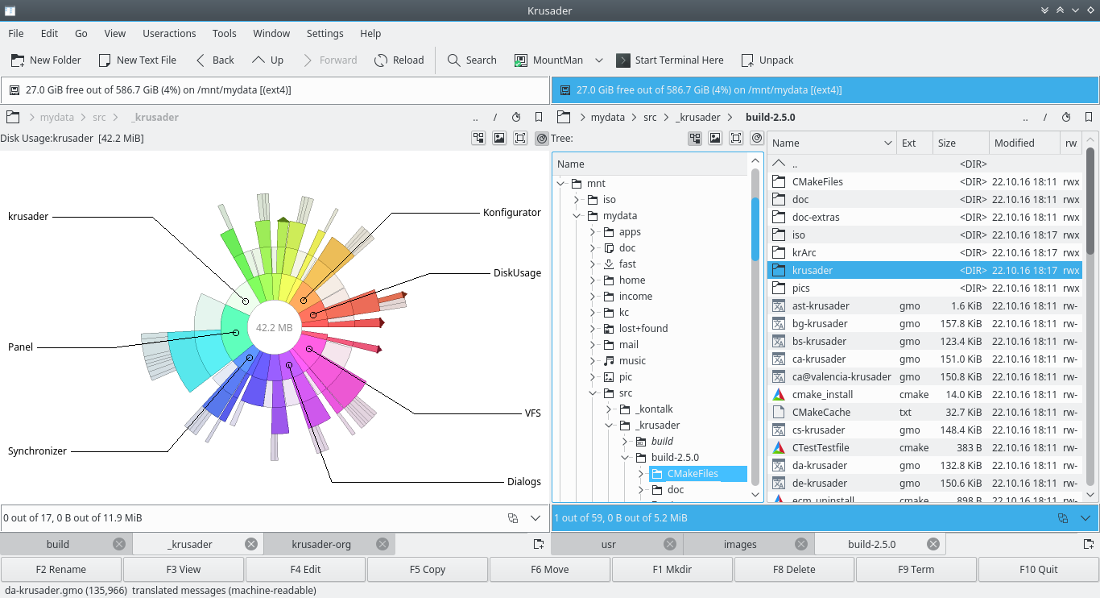
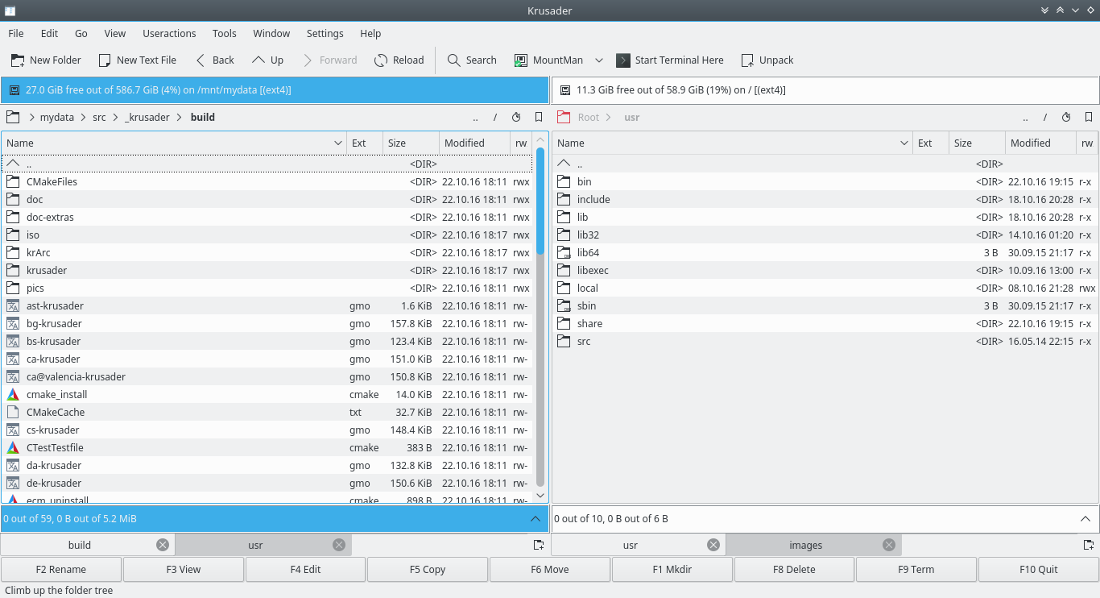
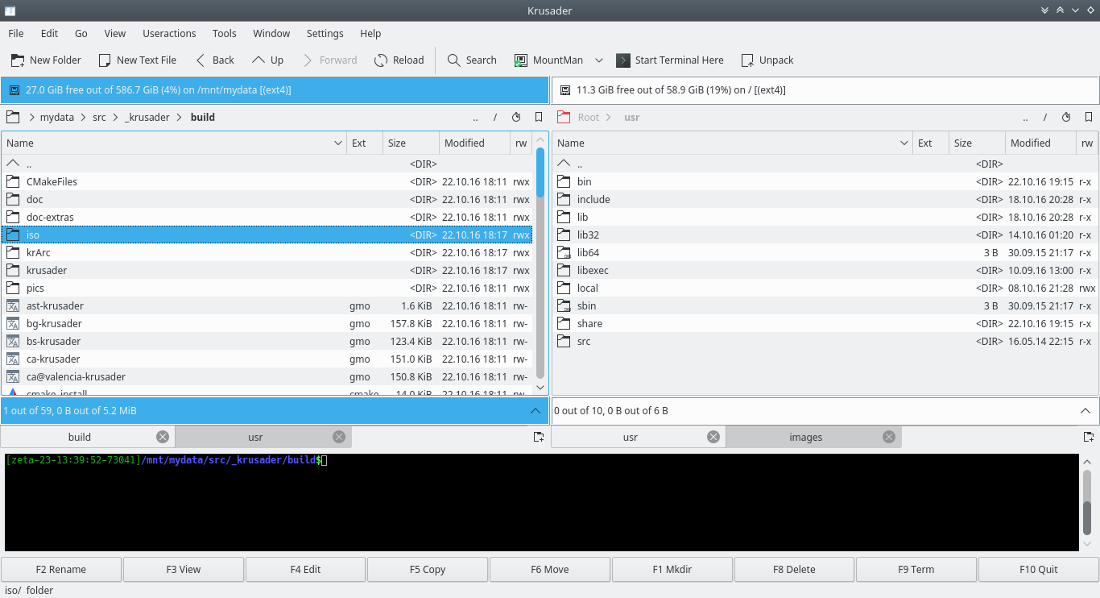
.. is an advanced twin panel (commander style) file manager for KDE and other desktops in the *nix world, similar to Midnight or Total Commander. It provides all the file management features you could possibly want. Learn more...

Plus: extensive archive handling, mounted filesystem support, FTP, advanced search module, an internal viewer/editor, directory synchronisation, file content comparisons, powerful batch renaming and much much more. It supports a wide variety of archive formats and can handle other KIO slaves such as smb or fish. It is (almost) completely customizable, very user friendly, fast and looks great on your desktop! You should give it a try.
This piece of software is developed by the Krusader Krew, published under the GNU General Public Licence.

Krusader 2.2.0-beta1 "DeKade" released! Latest Release

Released: 2010-04-30 | 2 replies
Ten years after

Those of you that still remember, ten years ago a simple twin panel file manager was released. It had a few small glitches like showing rrr instead of rwx for permissions, had some compatibility issues with Debian and Solaris, did not save keyboard settings, but it was, in spite of many bugs, sort of usable for everyday work. Ten years ago Krusader started the path to becoming top file manager for many different operating systems and many flavors.

And the story goes ...

First biographer describes the beginning in a simple manner: In early days of the second millennia, two young man Shie and Rafi, full of life and dedication, started to create a twin panel file manager. One afternoon after having falafel for lunch, and instead of attending to their academic duties, they started Krusader.

Krusader was created because there was no good Total Commander (formerly Windows Commander) replacement for Linux. Shie and Rafi chose KDE/Qt, because it offered the right tools for software development, as well as a rich and dependable framework. That famous meeting took place on 30th April 2000.

On the 1st of May 2000, the project officially started.

The first working version was called M1 (Milestone 1) for KDE 2 (Kleopatra 1.91). The first release was M2 (Milestone2) on 11th July 2000. Version 1.0 was released on 1 January 2002. About three years after the project started more people joined the project, and the Krusader Krew was born.

During the first year of millennia, after not so apocalyptic devastation of Y2K bug, Krusader released 8 versions, crowning the first birthday in 2001 with the tenth release. On average there were 6 releases per year, which made Krusader one of the most active open source projects. After the 1.70 release, the cycle shortened to three releases every year, manly due to preoccupation of developers. Version 2.0.0 was released on the tenth birthday.

In ten years time ...

In ten years time, more than 1500 features, bug-fixes and updates were made, primarily to keep Krusader up to date with file management demands and technological progress. Krusader was among the first to actively support tabbed interface, make use of advanced bookmarking system, support different views, advanced file previews and system information gathering. Pioneering in user customization was made possible by the rapidly evolving KDE environment which was, as the developers pointed out on many occasions, sole key to the fast paced development. Whole look and feel with user customization was very important. Many interface enhancements followed strict keyboard settings to make pleasantly looking window also functional and adaptive for real administrative tasks. Krusader has defined key-binding for every single operation, which can make magic in the right hands. For that reasons many demanding groups of people supported the development, while the program kept it's simplicity for not so tech savvy users and other operating system drop-outs.

Probably the greatest single Krusader's feature that makes it unique is its powerful user-action system. Some user-actions can be even imported from community supported sites, or one can script it and adept it to own personal needs. Another great feature is powerful regex search which was introduced quite early in the program's development history. Powerful searching is along the crude file management features, the most important aspect that the file manager must address and Krusader did that in an innovative manner. There is
nothing developers forget to add, when it comes down to searching. Many other features grow into ones way of work that makes it easier to maintain the circus of files.

Looking down at the milestones ...

Looking back at the development period until the 1.0 release of Krusader, looking back at the screenshots of the program, and looking back at the history of open-source, must give you heavy dose of goose bumps. That was a "hard-stuff" period! A that time, users of this file managers were mostly developers themselves and other developers and system administrators, that really knew their way around the code. First really user oriented features came in July with the release of version 0.6 that featured MountMan - the auto-mount-manager, enhanced DirWatcher and major optimizations for the archive handling module ARC-VFS. One month later the release 0.65 featured BookMan, the
bookmark manager and integral pack/unpack functions.

Version 1.0 was released in April 2001 to the first bugfix release that also added new ftp/smb vfs support and added support for sftp & scp. These first steps in the wild introduced the little piece of software to the community which then in the years got acquainted with releases following every major milestone that developers placed on their everlasting to-do list.

  • In the first milestone version 1.10, a new viewer was introduced which was a huge improvement over the previous version. This release also cleared some annoyances as well as added some important features like a possibility to execute files on remote file-system. But the single most important feature was coding the Krename into the heart of Krusader, making it lifelong companion and a good example of different project cooperation.
  • Milestone 1.20 in april 2003 introduced a preview option that was added to the right-click menu and an extension column that was added to the files window. This milestone was oriented towards the usability of the program and simplifying user experience.
  • With the release of 1.30 in the same year, a Total-Commander style directory selection was added, which gave an option to select directory with the space key. Following the TC's example was well accepted by the community that started looking into the windows alternatives. Among other important additions was multi-file properties dialog, KIO handling of archives and rar support and with
    the in-place renaming option, Krusader stepped even closer to TC's design paradigm.
  • Next milestone (1.40) introduced a file splitter and directory synchronizer. This was already a long time feature request by the community, since Krusader was also used by system administrators that frequently needed such functionality. The community also welcomed the new "calculate occupied space" feature that prints the directory's size like TC. This milestone also served new konfigurator for settings interface and an ability to configure the fields of the panel like extension, size, permissions and other.
  • Version one and a half released at the end of 2004, added new colossal user-action system, based on the previous prototype and the original 3rd hand of Krusader which resided silently on the bottom of both panels. Third hand was basically designed as Krusader's information gathering and viewing center giving many possibilities to enhance default file management features with advanced system and file data browsing, selecting and displaying capabilities. One-point-five had also full handling of arj, ace and lha packers support, iso
    protocol for vi and powerful compare by content. Kruseder also became more KDE-ish file manager with added support for the konqueror's right click menu.
  • Next major barrier was the "great" 1.60 release that was really widely recognized by the community. Features like vertical Krusader mode, disk usage tool, TC's style refresh and virtual VFS support, made the program important even for very demanding users. With the addition of the import and export of keyboard short-cuts and color scheme, extensive redesign of right click and scripting support, the release was also well accepted by the KDE development community, which found a place among extra KDE programs. Among other features were feed to list-box search support with virtual folders, that made searching
    usable even after the search action was finished. Bookmarks could be now placed into toolbars, most used places were now added to popular-URLs feature and files could be now selected with custom selection mode, which was another long awaited option.
  • With the 1.70 Round Robin release, Krusader defined it's role in the OSS world. File selection filters, Jump-Back feature, QuickNavigation, checksum module for md5 and sha1 support, unpacking from RPM packages and many more features that caught the eye of wide variety of users.
  • In 1.80 in mid 2007 new krarc password handling was introduced along with archive type auto-detection, writing out archiving error messages, stepping into hidden archives and other option. New krarc supported 7z and 7za handling and also packing with encryption, multiple volume archives and compression level. With copying and moving attributes also stayed preserved. Another long awaited feature rocked the users. At last the so called brief view was introduced. With its addition, Krusader supported all types of views known for

  • The mighty power stone 1.90.0 was released in 2008, bundled with many user-actions, scripts, color schemes and keyboard short-cuts maps. This release started closing the first release cycle and opening the second release with major overhaul of Krusader's code to follow the release of KDE4. This "upgrade" took quite some time, but the outcome was great. Integration of Krusader into the KDE environment benefited in both KDE and Krusader's features, making file management even more intuitive and faster.
  • The outcome of this transition was Krusader 2.0.0 which was released with new enhancements like selecting remote encoding for krarc and character encoding option for content search, ability to use Thunderbird or Evolution as the default email sender and sending more than one file in e-mail, highlight quick search match, enqueue operation for copy / move, original support for tar.lzma, copy and move by queue.
  • Version 2.1.0-beta1 version cleaned many bugs, but also served new additions to the program. Better trash integration, many new tabs actions, queued packing and unpacking and many more.
  • Just on the tenth birthday, Krusader Krew released the 2.2.0-beta1 version, a preview of the upcoming series which includes many new ideas and overall polishment.

Ten years after

Today, Krusader joins many top notch developers and other contributors of code, spread all around the world. So, writing a story about the history of an open source project is not an easy task. People that contribute to the project come and go, have more or less time, users get older, working environments change. But there is a special something that keeps coming up with every new decade and that is the philosophy, some kind of ultimate philanthropic point that simply
says; I do it because I love doing it.

What about the Krew, you ask? Well, the Krew got ten years older, found more demanding jobs with more working hours, got families and pets, got lazy Sundays and jumpy Mondays. Sometimes the lack of activity shows, that Krusader needs new, fresh blood, savaged developers and fierce bug-fixers to keep the pole position in the desktop file management race. But on the other hand, in next ten years, Krew will be another ten years older, will have mastered the job demands, will have almost grown up kids and trained pets, will get sick of lazy Sundays and Mondays will start without the early hour alarm. Then the fresh will mix with reliable old and then the cycle will turn again.

Happy birthday, Krusader

Highlights:

  • A reorganized Konfigurator
  • Seperate per view type icon sizes and previews
  • Improved MountMan with solid interaction
  • A dbus interface for new tabs
  • Polished status and totalsbar and more panel configurations options in general
  • Aged 10 years
news

Latest News

Help Wanted - C++/Qt/KDE Developers wanted

2009-09-25 18:29 posted by | 2 replies
Since the Krusader team has lack of free time to write new code due to many private and professional obligations, we need are looking for new developers to continue the Krusader more...

HTML Handbook translations available for download

2009-08-29 12:29 posted by | 0 replies
Some Krusader-2.0.0 "Mars Pathfinder" handbooks are translated by the KDE translation teams. more...

Krusader 2.0.0-SVN "Rusty Clutch" (development)

2009-08-16 19:49 posted by | 5 replies
The Krusader development version is called Krusader-2.0.0-SVN "Rusty Clutch", the name is a tribute to KDE Extragear since we are under way to the first gear. more...

Krusader goes extragear!

2009-06-24 14:04 posted by | 0 replies
The kdereview period is over and Krusader has finally entered its new home in kde-extragear. Further development takes place in KDE's svn repository, so the SourceForge repository more...

Lister for Krusader

2009-06-22 20:31 posted by | 16 replies
Now Krusader in KDE SVN contains a lister module for viewing the huge files. more...